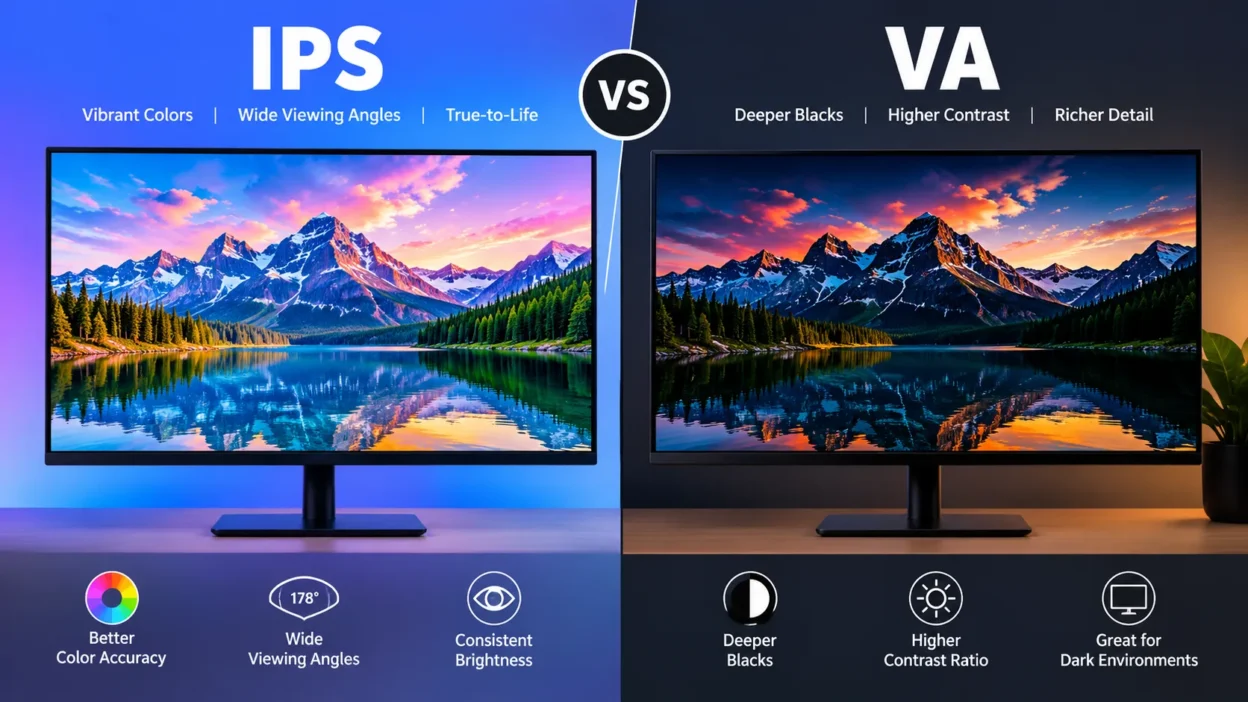
IPS and VA are two types of LCD display panels with different strengths. IPS generally offers wider viewing angles and strong motion handling, while VA usually provides higher contrast and deeper blacks.
The better choice depends on how you use the screen: gaming, office work, creative tasks, movies, room lighting, and your preference for contrast or viewing consistency.
Key Takeaways
- IPS generally provides wider viewing angles and consistent image quality from different positions.
- VA generally delivers deeper blacks and higher native contrast.
- IPS often handles fast motion better, while some VA panels can show dark-scene smearing.
- Refresh rate, resolution, brightness, HDR, and input lag are separate from the IPS/VA label.
- The exact monitor matters because two panels of the same type can perform very differently.
What Are IPS and VA Panels?
IPS and VA are both LCD panel technologies. The terms describe how liquid crystals are arranged and controlled inside the display.
IPS stands for In-Plane Switching. Its liquid crystals move within the plane of the display to control how much light passes through each pixel.
VA stands for Vertical Alignment. Its liquid crystals are arranged differently, allowing VA panels to block more light when displaying dark areas. That design is a major reason VA displays generally have stronger contrast and deeper blacks.
Both technologies can be found in computer monitors and TVs. Neither term tells you everything about the finished display. A monitor’s backlight, resolution, refresh rate, processing, coating, overdrive tuning, and other components also affect the final experience.
IPS vs VA: Key Differences
| Feature | IPS | VA |
|---|---|---|
| Contrast | Usually lower | Usually higher |
| Black levels | Good, but can look gray in dark rooms | Generally deeper |
| Viewing angles | Generally wider | Generally narrower |
| Color performance | Often strong | Can also be very good |
| Motion handling | Often strong | Can vary; dark smearing is possible |
| Dark-room viewing | Less ideal for deep blacks | Strong choice for contrast |
| Office work | Good for shared and multi-monitor setups | Good, especially when contrast matters |
| Gaming | Strong for fast motion | Strong for immersive, contrast-heavy games |
These are general tendencies, not guarantees. Testing from RTINGS shows that IPS generally leads in viewing angles and motion handling, while VA has a substantial advantage in native contrast. The same research also notes significant variation between individual monitors.
Contrast and Black Levels
Contrast is one of the clearest differences between IPS and VA.
VA panels generally have higher native contrast. This allows them to show a darker black beside a bright object, which can make movies and games look more immersive in a dark room.
Traditional IPS panels generally have lower native contrast. On a dark screen, blacks can therefore appear more like dark gray, especially when the surrounding room is dim.
Newer technologies have narrowed parts of this gap. For example, IPS Black panels can offer substantially higher contrast than conventional IPS designs. Mini LED backlighting can also improve perceived contrast through local dimming.
Still, VA’s strong native contrast remains one of its defining advantages.
Viewing Angles
IPS generally has the advantage when people view the screen from different positions.
With a good IPS display, colors and brightness tend to remain more consistent when you move away from the center. This is useful for large monitors, multi-monitor setups, shared screens, and situations where someone is sitting beside you.
VA panels can show more noticeable changes when viewed from an angle. Colors and brightness may shift as you move away from the center.
If you normally sit directly in front of your monitor, this difference may matter less.
Color Performance
IPS displays have traditionally been associated with strong color reproduction, and testing often finds better average color-gamut coverage among IPS monitors. However, panel type alone does not guarantee accurate colors.
A well-calibrated VA monitor can produce excellent color, while a poorly tuned IPS monitor can produce disappointing results.
For photography, video editing, design, or other color-sensitive work, look beyond the IPS label. Check measured color accuracy, gamut coverage, calibration, and the monitor’s specific review.
Response Time and Motion
Response time describes how quickly pixels change from one color to another.
IPS monitors often provide strong motion handling, particularly in modern gaming displays. This can make fast movement look cleaner.
VA technology has improved significantly, but some VA monitors can still produce black smearing. This happens when certain dark-to-light or light-to-dark pixel transitions are slower, creating a visible trail behind moving objects.
This is important for gaming because a monitor advertised as “1 ms” does not automatically deliver the same real-world response across every transition.
The exact model, refresh rate, overdrive setting, and transition being measured all matter.
IPS vs VA for Gaming
For gaming, the choice depends heavily on the type of games you play.
If you play competitive shooters or other fast-paced games, motion clarity can be particularly important. A well-tuned IPS monitor can provide fast response behavior with less distracting dark trailing.
VA can be appealing for slower-paced and cinematic games because its higher contrast makes dark environments and shadows look deeper.
For example, imagine playing a horror game in a dark room. VA’s stronger contrast can make the difference between black and dark gray more noticeable.
Now imagine tracking an opponent moving quickly through a dark scene. VA black smearing may become more noticeable, depending on the particular monitor.
Refresh rate is also important. A 60Hz IPS monitor and a 240Hz IPS monitor are obviously very different gaming displays. The same principle applies to VA.
So don’t choose a gaming monitor from the panel label alone.
IPS vs VA for Office and Creative Work
For everyday office work, both can work well.
IPS can be particularly useful when you use multiple monitors or frequently look at the screen from different angles. Its viewing consistency can make large desktop setups more comfortable to manage.
VA can also work well for documents, spreadsheets, browsing, and general productivity. Its stronger contrast can make dark content look richer.
For creative work, examine the monitor’s actual color performance rather than assuming that every IPS panel is professionally accurate.
Resolution, pixel density, calibration, color gamut, factory tuning, and screen size can have a major impact on the experience.
IPS vs VA for Movies and Dark Rooms
If you regularly watch movies in a dim room, VA’s higher contrast can be particularly useful.
Dark scenes benefit from deeper blacks, and VA panels generally have an advantage here. This can make nighttime scenes, space scenes, and other low-light content appear more convincing.
IPS can still provide a good movie-watching experience, particularly in rooms where viewing angles matter. But conventional IPS generally does not produce the same native black depth as VA.
Room lighting matters, too. The darker the environment, the easier it can be to notice differences in black levels and contrast.
IPS Glow vs VA Black Smearing
Two terms often appear in IPS vs VA discussions: IPS glow and black smearing.
IPS glow is a visible glow or brightness effect that can appear toward the corners of an IPS screen when displaying dark content, particularly when viewed from an angle. Its visibility varies by monitor and viewing position.
Black smearing is associated with slower dark-pixel transitions on some VA displays. It can appear as trails behind moving objects, especially against dark backgrounds.
Neither problem affects every display equally. A specific monitor review is more useful than assuming that every IPS or VA panel will behave identically.
Which Factors Matter More Than Panel Type?
Panel type is only one part of a monitor’s specification sheet.
Before buying, also check:
- Resolution: Higher resolution generally provides a sharper image at an appropriate screen size.
- Refresh rate: Higher refresh rates can provide smoother motion when your hardware can produce enough frames.
- Response measurements: Look for independent testing rather than relying only on a manufacturer’s advertised number.
- Input lag: This relates primarily to display processing rather than simply being an IPS or VA characteristic.
- Brightness: IPS is not automatically brighter than VA.
- HDR: Panel type alone does not determine HDR quality.
- Local dimming: Mini LED and local-dimming systems can substantially change contrast performance.
- Text clarity: Resolution, pixel density, and subpixel layout all matter.
- Screen coating: Matte and glossy surfaces can look different under various lighting conditions.
This is why two monitors with the same IPS or VA label can deliver noticeably different experiences.
How to Choose Between IPS and VA
Think about your normal use rather than looking for a universal answer.
Choose an IPS-based monitor when you place high value on wide viewing angles, multi-monitor use, consistent colors across the screen, or fast motion handling.
Consider a VA-based monitor when deeper blacks and higher native contrast are especially important, particularly for movies and dark-room gaming.
For mixed use, compare actual monitor reviews. A well-designed VA monitor can be a better fit than a mediocre IPS model, and the reverse can also be true.
The most useful comparison is therefore not simply “IPS or VA?” It is which specific IPS or VA monitor best matches your room, games, work, and visual priorities?
FAQs:
Is IPS better than VA?
IPS and VA have different strengths. IPS generally offers wider viewing angles and often stronger motion handling, while VA generally offers higher contrast and deeper blacks. The better fit depends on what you use the display for and which characteristics matter most to you.
Is VA better than IPS for gaming?
VA can be excellent for gaming, especially when deep contrast is important for immersive games and dark scenes. However, some VA monitors can show black smearing during fast dark-scene motion. IPS often provides more consistent motion handling, but the exact monitor matters more than the panel label.
Which is better for movies, IPS or VA?
VA generally has an advantage for movies viewed in dark rooms because its higher native contrast can produce deeper-looking blacks. IPS can be preferable when several people watch from different positions because of its wider viewing angles.
Does IPS have better colors than VA?
IPS monitors often have strong color performance, and testing has found better average color-gamut coverage among many IPS models. However, panel type does not guarantee color accuracy. A specific VA monitor can outperform a specific IPS monitor, so measured color performance is more useful than the label alone.
Does VA have lower input lag than IPS?
Not inherently. Input lag is primarily related to the monitor’s processing and implementation rather than simply whether the panel is IPS or VA. When comparing gaming monitors, look for independent input-lag measurements.
Do IPS and VA monitors have burn-in?
IPS and VA are LCD technologies and do not have the same burn-in risk associated with OLED displays. That makes either technology suitable for typical desktop use with static windows and interfaces.
Conclusion:
IPS and VA are both capable LCD technologies, but they emphasize different strengths.
IPS generally stands out for viewing angles and motion handling, while VA is particularly strong in contrast and black levels. The right choice depends on your games, work, room lighting, viewing position, and the exact monitor.
Instead of choosing from the panel name alone, compare the complete specifications and independent measurements of the models you are considering.

I am Paulo Coelho, a Brazilian author best known for inspiring readers through stories about dreams, faith, and personal journeys.
I share my writing experience and insights on Elitenamez.com to help readers discover meaningful ideas and stories.